Couple page
A wedding website with everything your guests need
The My Marriage wedding website is your couple page: date, time, venue with directions on the map and the RSVP, all in one link you can text to every guest.
Simple page on the Basic plan; custom page on the Couple and Complete plans.
One link
Address, time, dress code and RSVP in one place. No more answering the same questions a hundred times.
Directions on the map
The ceremony and reception venues with a directions button, so nobody gets lost.
Your way
On the Couple and Complete plans: your love story, photo gallery, countdown, music, dress code and the color and font editor.
Works on any phone
Guests open it in their browser. No app to download and no account to create.
How it works
In 3 steps
- 1
Create your event
Enter your names, the date and the venue. Your link is ready right away.
- 2
Make it yours
Pick your photos, tell your story and adjust the colors and fonts.
- 3
Share it
Send the link with your invitation and follow the replies on your dashboard.
What goes on your wedding website
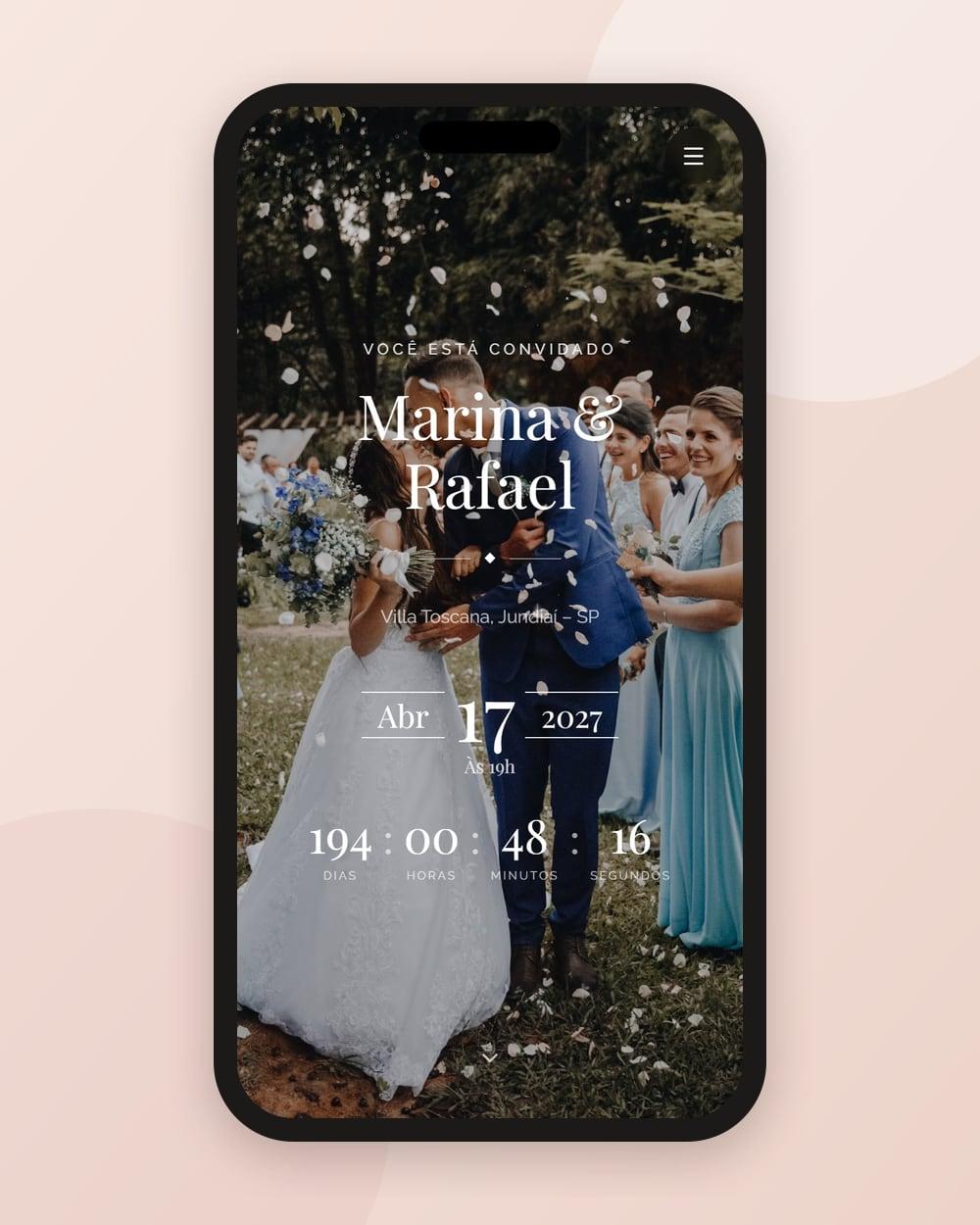
Right at the top, your names, the date and a photo of the two of you. Then the ceremony and reception venues and times, with directions on the map, and the dress code. On the same page, each guest fills in the wedding RSVP, with plus-ones and dietary restrictions.
On the Couple and Complete plans, the page adds your love story, a gallery, a countdown to the big day, background music and the color and font editor, so everything looks like your wedding.
A website that keeps working on the wedding day
On the day, the same address becomes the home of your wedding guest photos: every table gets a wedding QR code, and the photos your guests send become a wedding guest album, a slideshow with music and even a live photo wall.
Frequently asked questions
How much does the My Marriage wedding website cost?
It’s a one-time payment per wedding, with no monthly fee. You can try it free for 7 days before you buy.
Do guests need to download an app?
No. The wedding website opens in the browser on any phone or computer, with no sign-up.
Can I customize my wedding website?
Yes. On the Couple and Complete plans you add your love story, gallery, countdown and music, and choose your colors and fonts. The Basic plan has a simple page with your names, date, venue with map and RSVP.
When should I create my wedding website?
As soon as you have the date and the venue. Ideally, share the link with your invitation, 3 to 4 months before the wedding.
Goes great with
Guest list
RSVP
Online wedding RSVP: guests reply with their plus-ones and dietary restrictions, and you see the whole guest list in real time.
What makes us different
Guest photos
Collect your wedding guest photos with a QR code on each table, no app needed: gallery, PDF album, slideshow with music and a live photo wall.
QR code
Wedding QR code
A print-ready wedding QR code: on the invitation it opens the RSVP; on the reception tables it collects your guests’ photos.
All features: wedding RSVP · wedding guest photos · live wedding photo wall · wedding guest album · wedding seating chart · guest list for your wedding planner · wedding QR code
Your whole wedding in one link
One-time payment per wedding, no monthly fee. Try it free for 7 days before you buy.