Wedding Guest Photos: Your Wedding Through the Eyes of Everyone Who Was There
Every guest lives your wedding in their own way. Here's how to gather your wedding guest photos and keep the day as they saw it, all in one album.
By My Marriage Team · · Updated on · 6 min read

In this post
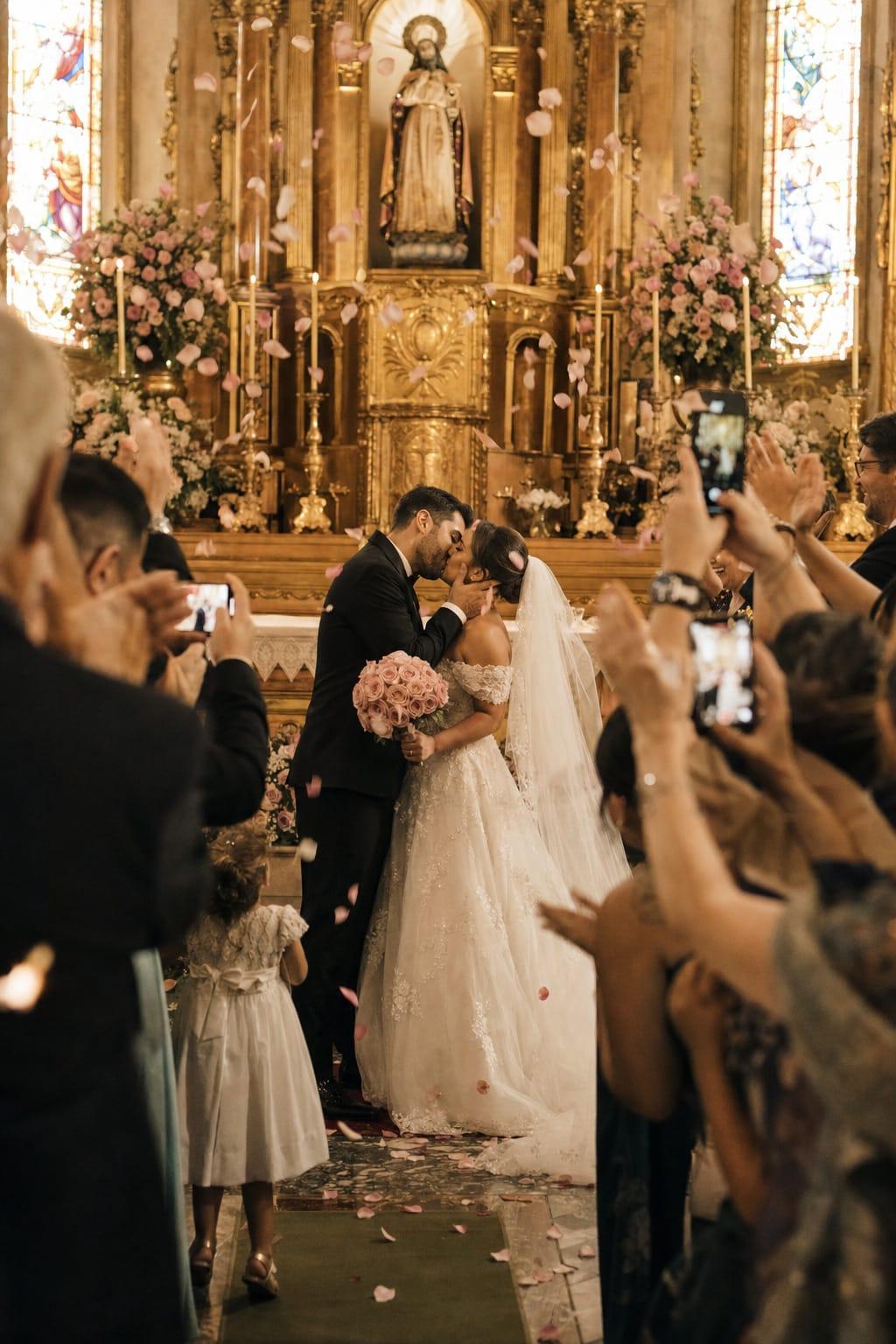
Your wedding day goes by fast. You get ready, walk down the aisle, say yes, greet everyone, dance, and suddenly it's time to leave. Meanwhile, every person in the room is living the same party in a different way. Wedding guest photos are the only way to see that day through the eyes of the people who were there: grandma's table, the hug you didn't even notice, the decor seen from the back of the room.
Your photographer tells the couple's story. Your guests tell the rest. In this post, we show why that point of view is worth keeping and how to gather it all without losing a thing.
The day you live (and what you miss)
The couple sees the wedding from the center. It's the most beautiful spot, but also the busiest. You're facing the altar while your parents cry in the back. You're in the receiving line when your friends start the first circle on the dance floor. You're in the portrait session when the cake gets its first round of applause.
You can't be everywhere. And so many couples say the same thing after the party: "it flew by, I wish I'd seen more".
That's where the people around you come in.
Every guest lives a different wedding
Think about the people who'll be at your wedding. Each of them will keep a scene:
- Grandma, sitting near the dance floor, sees the whole family together for the first time in years.
- The best man sees the groom nervously fixing his tie five minutes before the ceremony.
- The childhood friend films the bride's entrance and cries before anyone else.
- The kids photograph the desserts, the petals on the floor and everyone's shoes.
- The cousin who came from out of town thinks the venue is the most beautiful thing he's ever seen and photographs every detail.
- The work friends' table captures the packed dance floor at 2 a.m.
None of those scenes are the same. Together, they make up the whole wedding: what you lived and what happened while you were busy being the couple.
Wedding guest photos vs. your photographer's photos
One doesn't replace the other. A professional photographer is essential. But your guests' photos catch moments the photographer can't, simply because no one can be everywhere at once.
| Professional photographer | Guests | |
|---|---|---|
| Focus | The couple and the key moments | Everything happening around them |
| Angle | Planned, with light and technique | Spontaneous, from inside the tables |
| Moments | Ceremony, portraits, first dance, cake | Conversations, hugs, behind the scenes, the late-night dance floor |
| When they arrive | A few weeks later | Right away, if there's an easy way to send them |
| Feeling | The eye of someone working that day | The eye of someone who loves you |
The problem isn't a lack of photos. By the end of the party, almost every guest has dozens on their phone. The problem is that they stay there, scattered across hundreds of camera rolls, and most of them never reach you.
Why photos get lost (and how to avoid it)
The most common approach is a group chat or asking everyone to send them later. In practice:
- Half the guests forget.
- Photos arrive compressed, in low quality.
- Everything gets mixed up with messages, stickers and voice notes.
- You spend weeks asking "can you send me that dance floor photo?".
To work, sending needs to be easy in the moment, during the party, when the photo was just taken and emotions are high. No app to download, no account to create, nothing to remember the next day.
The simplest way is a QR code on the tables: guests point their camera, pick their photos and send them. We explain the full step by step in wedding photo sharing with a QR code.
How to get guests to share what they saw
Having the QR code is step one. Getting people to use it is step two. A few ideas that help:
- Put the QR code on every table, not just at the entrance. Someone sitting with their phone in hand sends right away. If you're already building your seating chart, plan a little sign for each table.
- Write a warm invitation on the sign, instead of just "send your photos".
- Ask your planner or the DJ to mention it at some point, like right after your grand entrance.
- Show the photos on a screen. When guests see their own photos pop up, everyone wants to send theirs.
- Let people know ahead of time. A note on your wedding website or with the invitation gets everyone ready.
Some wording ideas for the table sign:
You saw this day in a way we didn't. Send us your photos here and let us see our wedding through your eyes.
Every photo you take is a little piece of our story. Point your camera and share!
Our photographer has us covered. You've got everything else. Send your party photos here.
After the party: your wedding through everyone's eyes
The best part comes later. When you open the photos your guests sent, you discover a wedding you didn't see. The friend who gave a secret toast at the table. Your aunt dancing with her nephew. Dad watching the bride from across the room. The decor exactly as guests saw it when they walked in.
With everything in one place, you can:
- Make an album with your guests' photos, organized and ready to keep or print.
- Play a slideshow at a family dinner, on your first anniversary or whenever you miss the day.
- Share it with those who couldn't make it, so they can feel a little of the party too.
This album is different from your photographer's. It isn't perfect, and that's exactly why it's so moving. Every photo carries the eye of someone who was there because they love you.
When to set this up
Don't leave it for the last week. Ideally, decide how you'll collect photos along with the other reception details, about two or three months before, so there's time to add the QR code to the table signs and tell your planner. If you want to stay ahead, our wedding checklist shows what to do at each stage.
Also agree with your planner on who'll handle the screen, if you have one, and talk to your photographer: they love knowing guests will complement their work, not compete with it.
Still building your couple page? See what to put on your wedding website to keep everything on one link, from the party details to photo sharing.
Frequently asked questions
Do guests need to download an app to send wedding photos?
No. With a QR code on the tables, guests point their phone camera, pick their photos and send them. It's the easiest way to get photos to you while the party is still going.
Do guest photos replace a professional photographer?
No. Your photographer covers the couple and the key moments with technique and light. Guest photos add to that, showing the behind the scenes, the tables, the dance floor and the moments that happen away from you.
Where should I put the QR code for guests to send photos?
The best spot is on every table, on a small sign with a warm message. It also helps to put one at the entrance and ask your planner or DJ to remind guests at some point during the party.
What can you do with wedding guest photos after the wedding?
You can make an album, play a slideshow at family gatherings and share it with those who couldn't come. With My Marriage, photos sent by QR code become a PDF album, a slideshow and a live photo wall.
How do I keep inappropriate photos off the screen?
Ideally, someone approves the photos before they go on screen. On the My Marriage Complete plan, the live photo wall only shows photos approved by your planner.
My Marriage
Your whole wedding in one link
A wedding website with RSVPs, a seating chart and your guests’ photos collected with a QR code, which become an album, a slideshow and a live photo wall.